
Vinyl Records
Catalog your
vinyl records.
Start with ten records. Keep a photo, purchase details and listening notes for each copy, with owned and wanted records clearly separate.
Free to start · One-time Pro purchase · No subscription.
By Hoblio · Updated
How to start a vinyl record catalog
Pick ten you would like to find again.
Choose ten records you play often, bought recently, or sometimes forget you own. Work from the copies in front of you. A useful small list is easier to maintain than an unfinished attempt to document everything.
- Make one entry for each physical copy. Use a name such as “Artist — Album.” If you own two editions, give each a separate entry and a short distinguishing name.
- Add a recognizable photo. A cover photo is a good start. In Hoblio each Piece holds one photo; transcribe other useful identifiers into Notes.
- Record what you know, then stop. Add purchase details if useful. Leave an unknown year, pressing, or catalog number blank rather than choosing a likely online match.
You can use the same method in a notebook or spreadsheet. Hoblio keeps the photo, purchase context, manual use history, and connected Notes together in a personal mobile catalog.
Inside Hoblio
The record. The details. The next listen.
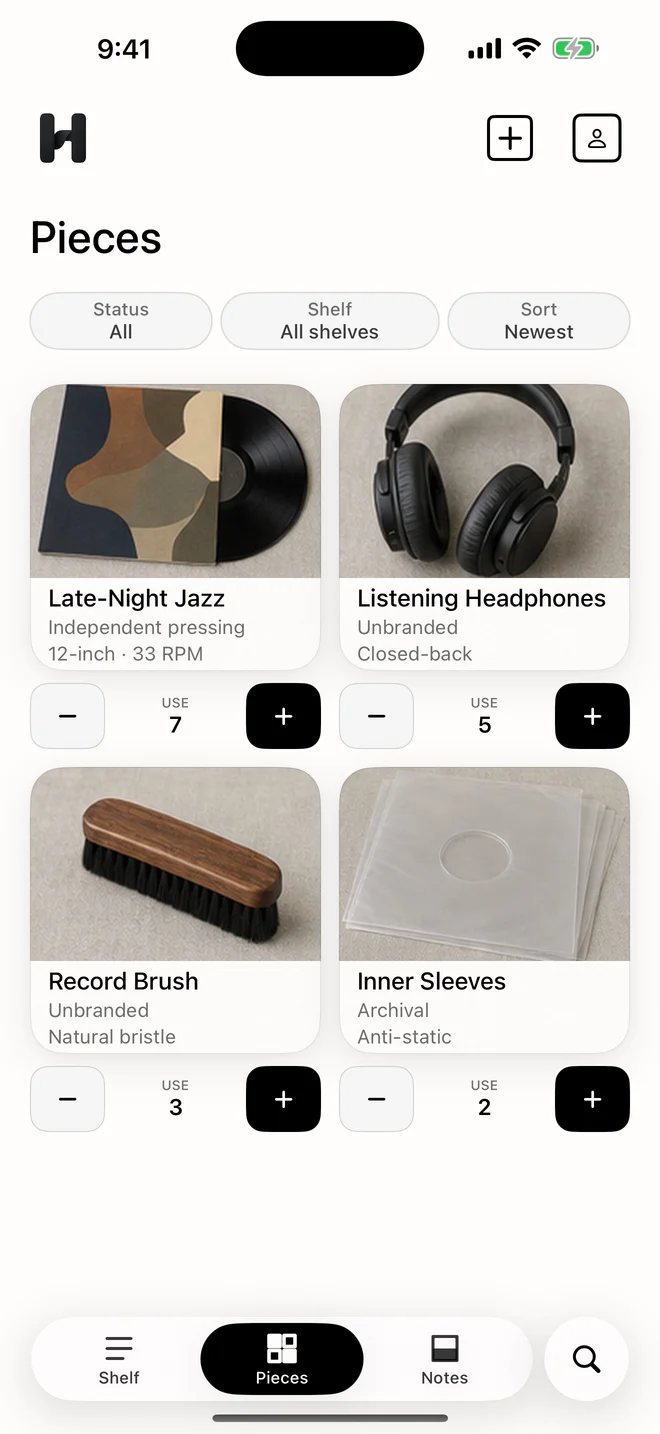
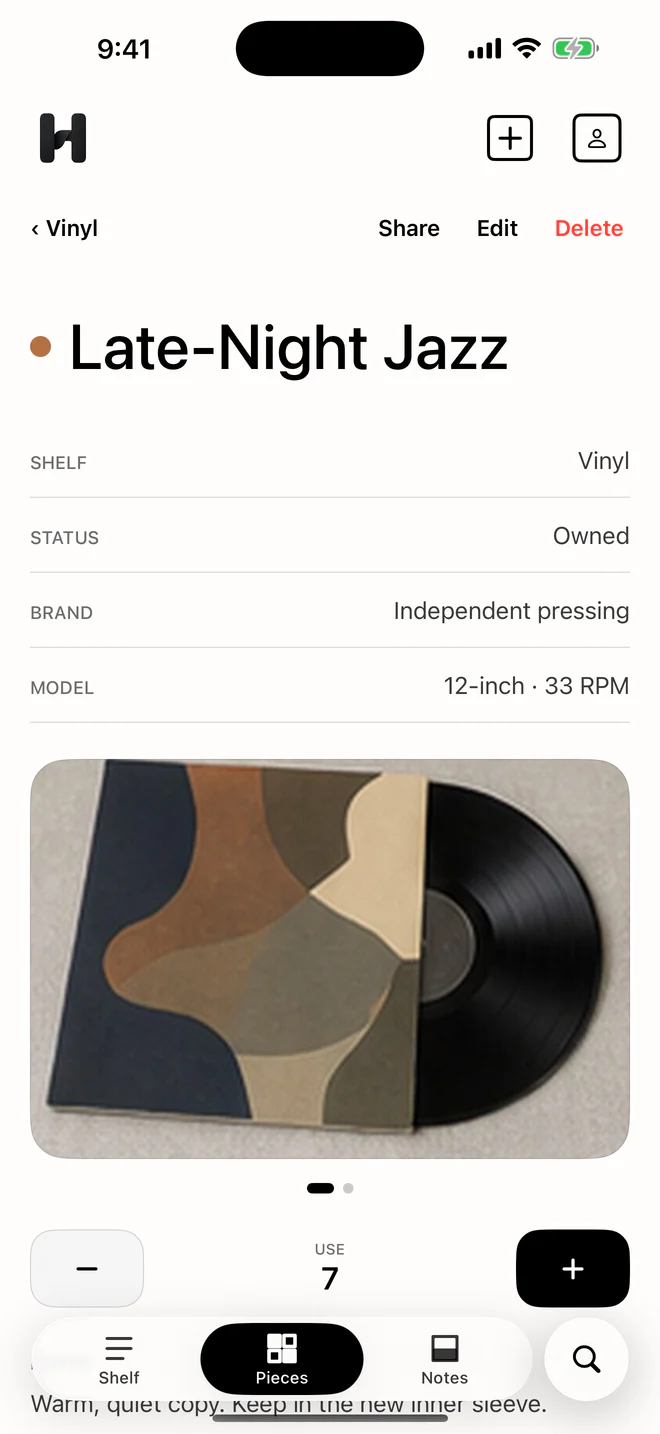
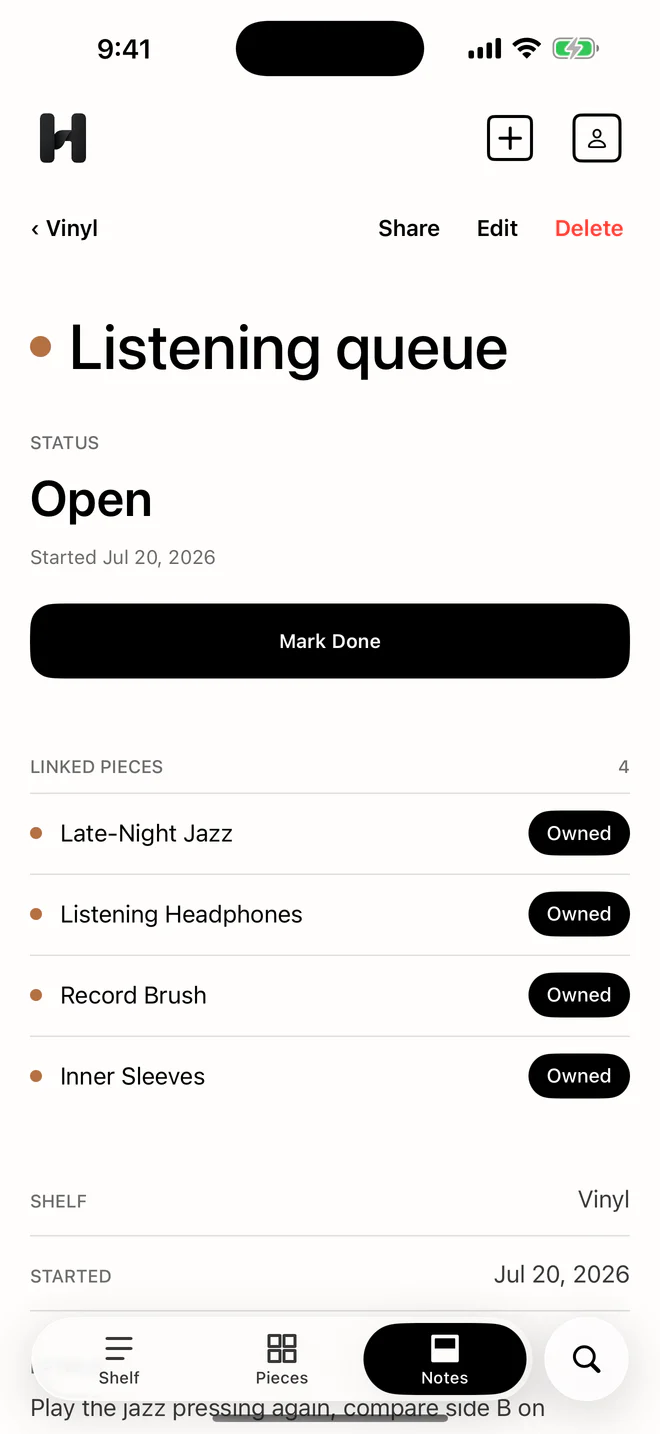
Example entries in the actual Hoblio app. A Vinyl Shelf can include records and listening accessories; edition and condition details are your own manual Notes.
Vinyl record catalog checklist
Describe your copy, not just the album.
Every Hoblio piece has the same built-in fields: name, brand, model, Owned or Wanted status, purchase price, purchase date, one photo, Notes, and use history.
The following are suggestions, not built-in fields or verified data. Add only what helps you identify or find your own record:
- Identity. Artist, title, label, and catalog number as printed on your copy. A catalog number alone may not distinguish every edition.
- Edition clues. Format, speed, country or year if known, and matrix or runout text you can read. Keep uncertainty visible; these notes do not authenticate a pressing.
- Your observations. Record and sleeve condition, an audible issue you noticed, inserts, and a shelf location. These are personal observations, not a verified condition grade.
A template you can keep
Leave the guesswork out.
Copy this into the Piece’s Notes or any plain-text note. Replace the brackets with information from your copy. Delete lines that are not useful.
Artist / title: [as printed on this copy]
Label / catalog no.: [as printed]
Format / speed: [if known]
Country / year: [confirmed, or leave blank]
Runout text: [transcribe only what you can read]
Record condition: [your observation and date]
Sleeve / inserts: [your observation]
Shelf location: [where you keep this copy]
Listening note: [anything worth remembering]
Download the free text template. No sign-up or app required.
These are manual Notes, not dedicated record fields. Hoblio does not scan a barcode, identify a pressing, fetch a release database, or estimate resale value.
Before your next record shop visit
Keep “I own it” separate from “I want it.”
Mark copies in your collection as Owned. Use Wanted for records or editions you are looking for, and write any edition preference in manual Notes.
Before buying, check your Owned list and compare the copy’s details. If you want a second edition of an album you already have, give the Wanted entry a distinguishing name. Hoblio does not detect duplicates automatically; the list helps you make the check yourself.
A separate “Next listens” Note can link to a few Owned Pieces. Add your impressions afterwards if you like. Manual use records are optional, and are not a record of automatically detected playback.
A personal catalog, not a pressing database.
If you want automatic release lookup, market prices, or a marketplace, you need a tool that provides those capabilities. Hoblio does not replace them. It is a different choice for a small, manually maintained photo catalog and personal listening Notes.
Your core Shelf data stays on your device, without a Hoblio account or Hoblio-operated cloud sync. Export a separate JSON backup after important additions. The export is not encrypted; keep it somewhere appropriate for the purchase details and notes it contains. See the backup FAQ.
Before you start.
Can I catalog records without identifying every pressing?
Yes. A name, photo, and Owned status can be a useful first record. Add details later when you have checked them. Do not treat an unverified edition as a confirmed fact.
Does Hoblio have dedicated artist, pressing, or grading fields?
No. Use a recognizable Piece name and write record-specific information manually in Notes. Hoblio does not authenticate records or grade their condition.
Do I need Pro to try this?
No. The free tier includes one Shelf and up to ten Pieces. Start with ten records on one Shelf. Pro is an optional one-time purchase that removes those quantity limits; your local store shows the price.
Start with ten records you know.
Try one Shelf and up to ten Pieces free. Hoblio Pro is an optional one-time purchase that removes those quantity limits; your local price appears in the store. No subscription.
Read the privacy and backup details. Daily ownership cost is purchase price divided by days owned; manual use history stays separate.